Tools
WPM calculator
Typed something out by hand and want to know your speed? Enter how much you typed, how long it took and how many mistakes you made, and see the working.
Press Calculate. The answer and every step of the working will show here.
How it works
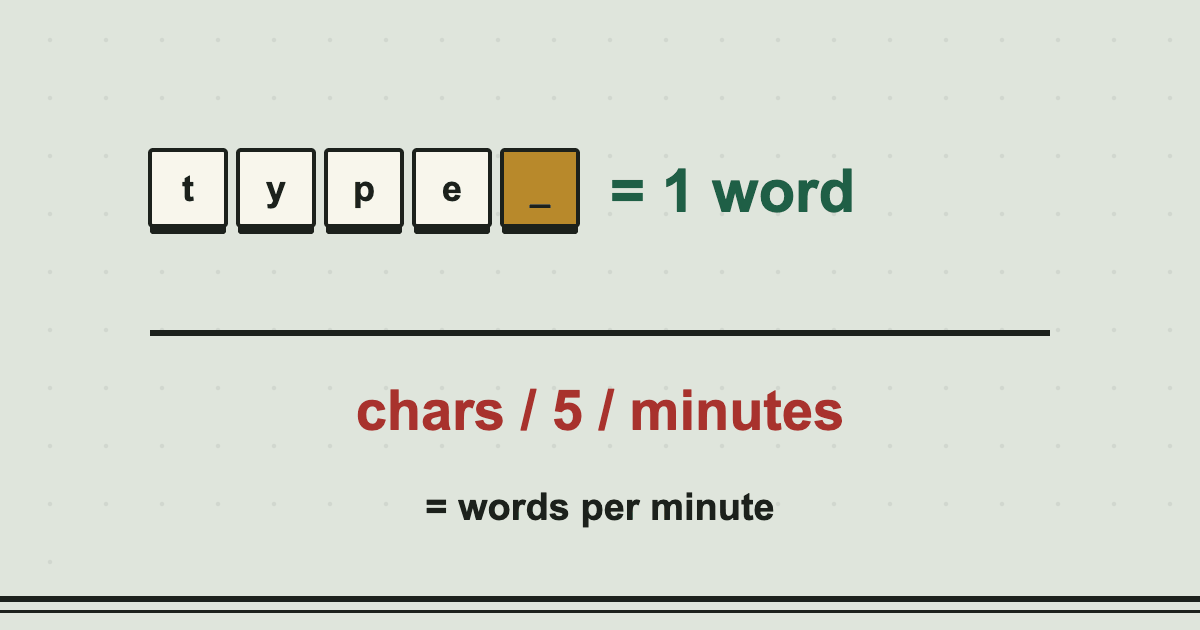
Typing speed is measured in words per minute, or WPM. A "word" in this measure is not a real word. By convention it is five characters, including spaces and punctuation, which lets everyone use the same yardstick no matter how long their words are.
Gross WPM ignores mistakes: it is the words typed divided by the minutes taken. Net WPM takes the mistakes off first, so a fast typist who makes many errors scores lower than a slightly slower one who is accurate. Net WPM is the figure most employers ask for.
If you only know the character count, switch the first box to characters and the calculator divides by five for you.
The formula
- Words = characters ÷ 5
- Gross WPM = words ÷ minutes
- Net WPM = (words − mistakes) ÷ minutes
- Accuracy = (words − mistakes) ÷ words × 100
Worked example
Sam types 300 words in 5 minutes and makes 10 mistakes. Gross speed is 300 ÷ 5 = 60 WPM. Net speed is (300 − 10) ÷ 5 = 58 WPM, and accuracy is 290 ÷ 300 = 96.7%.
 Read the guideHow typing speed is calculated5 min read
Common questions
Why is a word five characters?
It is a convention that goes back to the typewriter era. The average English word is about 4.7 letters, and with a space it comes to roughly five, so five became the standard unit.
What is a good typing speed?
Around 40 WPM is common for everyday users, 60 or more is useful at work, and 80 or more is fast. See the guide to typing speeds.
Is the test on this site worked out the same way?
Yes, with one difference: the test counts only characters that match the text exactly, which is a little stricter than counting wrong words.
Does the calculator count backspaces?
No. It works from the finished text and the mistakes you enter, not from keystrokes.
You might also like
- Typing Time CalculatorHow long will a document take to type at your speed, and what does a per-word rate pay by the hour?
- Word CounterCount words, characters, sentences and paragraphs, with reading, speaking and typing time.
- Touch Typing LessonsSeven short lessons from the home row up, with an on-screen keyboard that lights the next key.
Want a quick speed check? Take the typing test, or read what a good typing speed is.